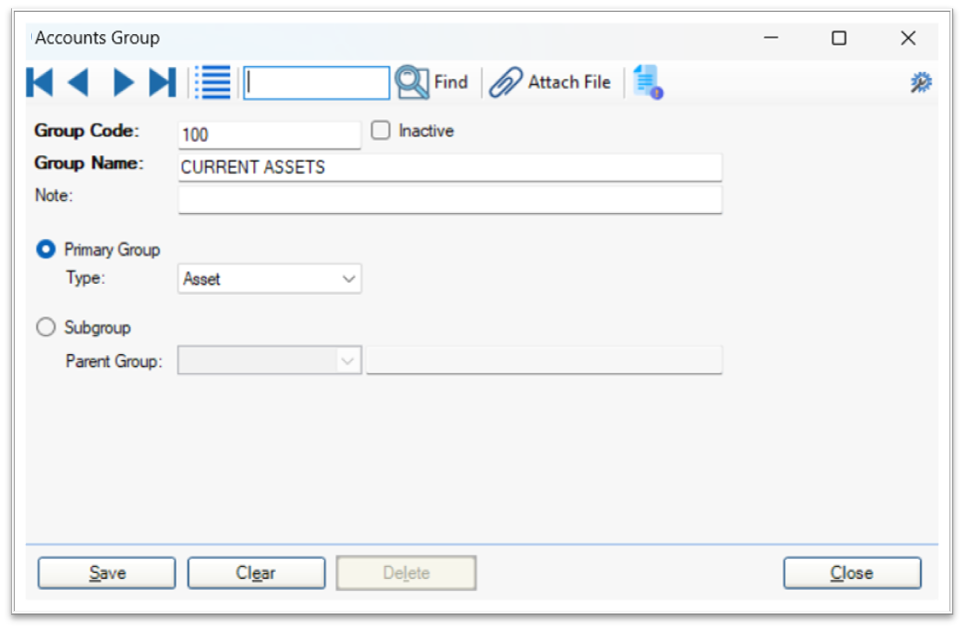
To create a new account group, navigate to Accounts & Banking > Cards > Account Groups. In the account group form, the user must provide a Group Code (a unique identifier), a Group Name (descriptive title for the group), and select a Parent Group if applicable. The parent group determines the hierarchical relationship and ensures that the new group is placed correctly within the overall account structure.
Once defined, account groups can be referenced during ledger creation, allowing accounts to inherit the properties and classification of their assigned group. This approach supports a consistent and scalable financial structure, which is essential for growing businesses that require detailed financial insights and compliance with reporting standards.